Parser Templates
A parser template is a proven parser you can deploy into an organisation without writing any parser code. Each one has been built against a real log line, validated, and documented with what it matches and which fields it produces.
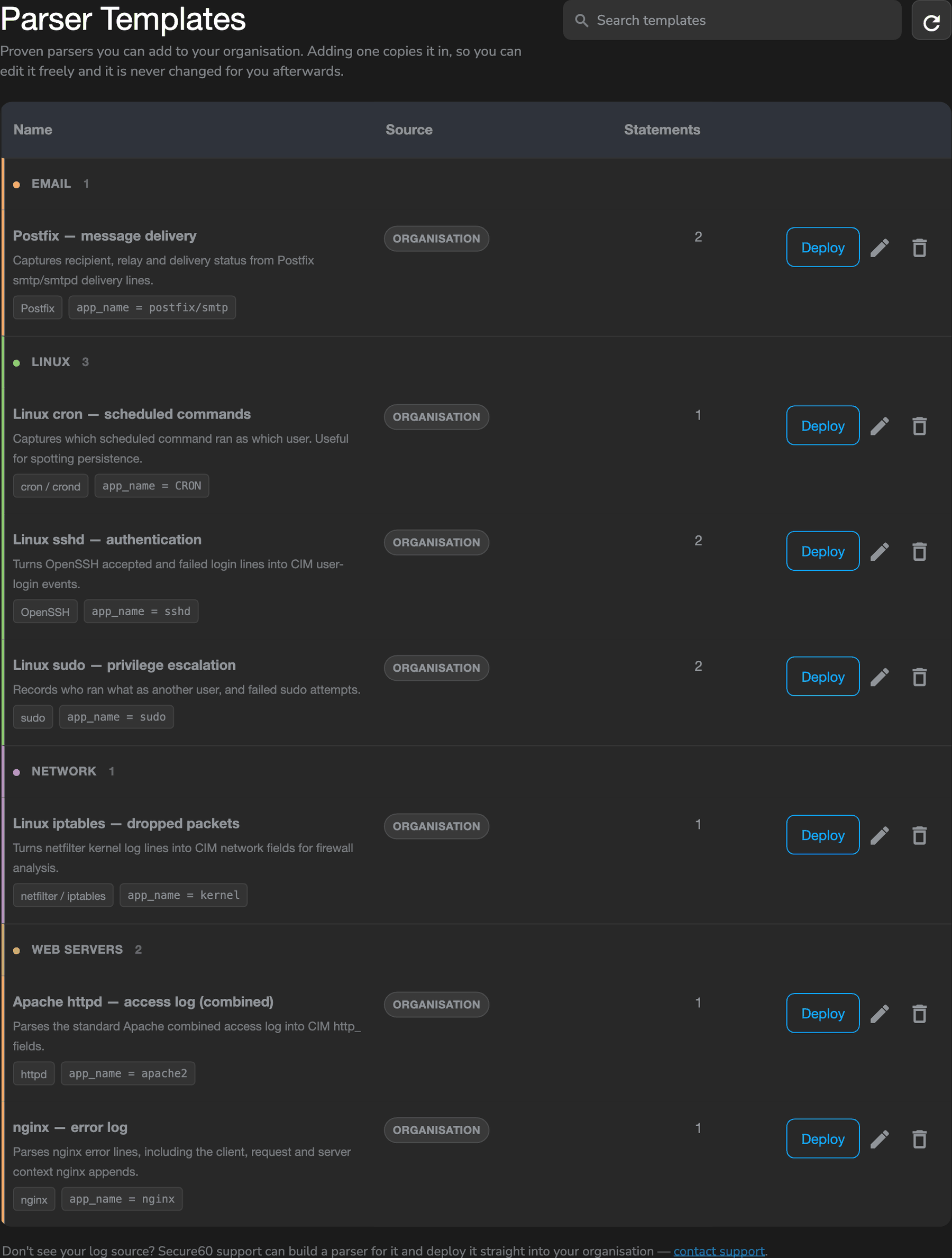
Find it under Integrations → Secure60 Collector → Parser Templates.
Reading a template
Click any row to see what it actually does before you commit to it.
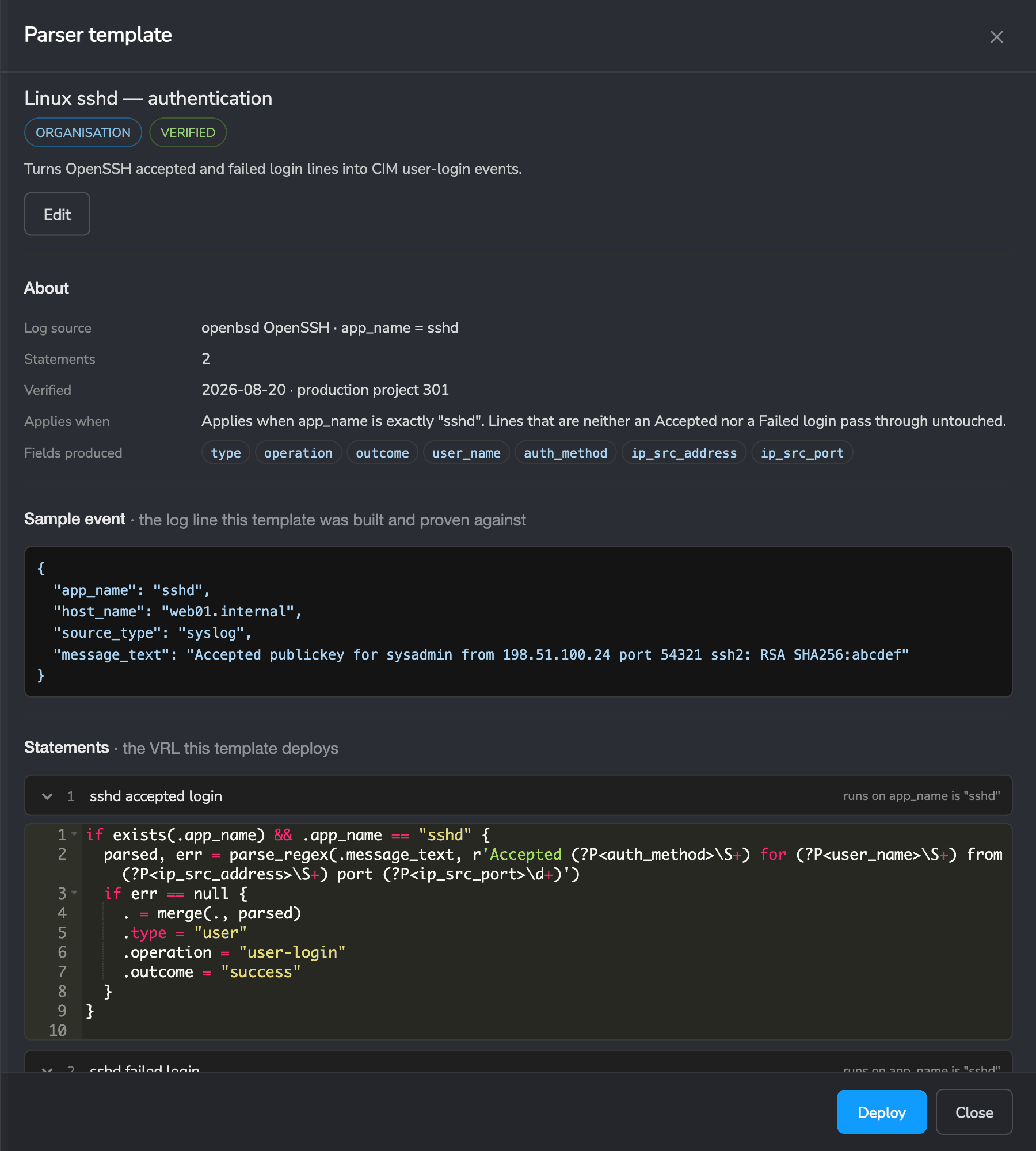
The detail view shows:
- Log source — the product and the
app_nameits events usually arrive with - Applies when — the condition that decides whether the parser touches an event
- Fields produced — the CIM fields you will get
- Sample event — the log line the template was built and proven against
- Statements — the actual parser code, not a description of it
The code is shown deliberately. A template asks you to run it against your own ingest, so you should be able to read it first.
Deploying a template
Deploy creates a parser in an organisation from the template.
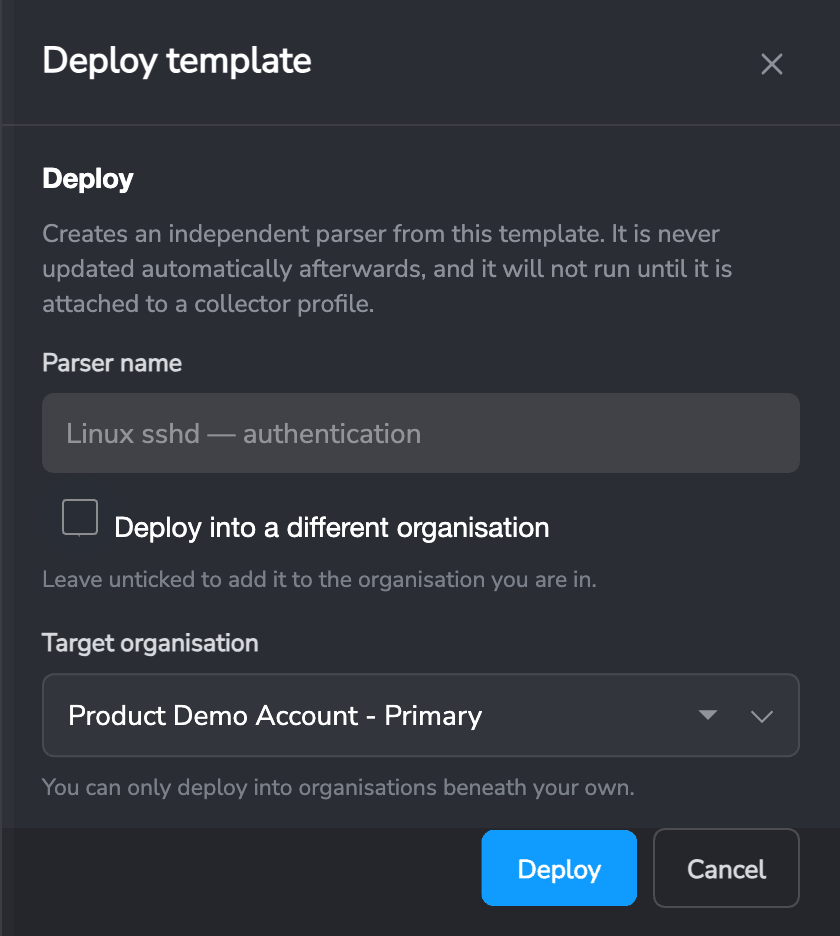
Name it, and either deploy it into the organisation you are in or pick one beneath you. You can only deploy into organisations inside your own branch of the hierarchy.
Two things are worth understanding about what happens next.
A deploy is a copy. The parser that lands is independent from the moment it is created. It records which template it came from, and nothing else connects them. Editing it will not affect the template, and the template changing later will not affect it. That is deliberate: a parser changing underneath you would change the shape of everything ingested from that moment on, and every rule, dashboard and saved search reading those fields would change with it.
A deployed parser does nothing until it is attached. Deploying creates the parser; it does not put it into service. Attach it to a collector profile that is assigned to a collector group, and the collector picks it up on its next sync — usually inside a minute. This is the single most common reason a freshly deployed parser appears to do nothing.
Making a template from a parser
Any parser you have built and tested can become a template. Open Log Parsers, find the parser, and choose Make template.
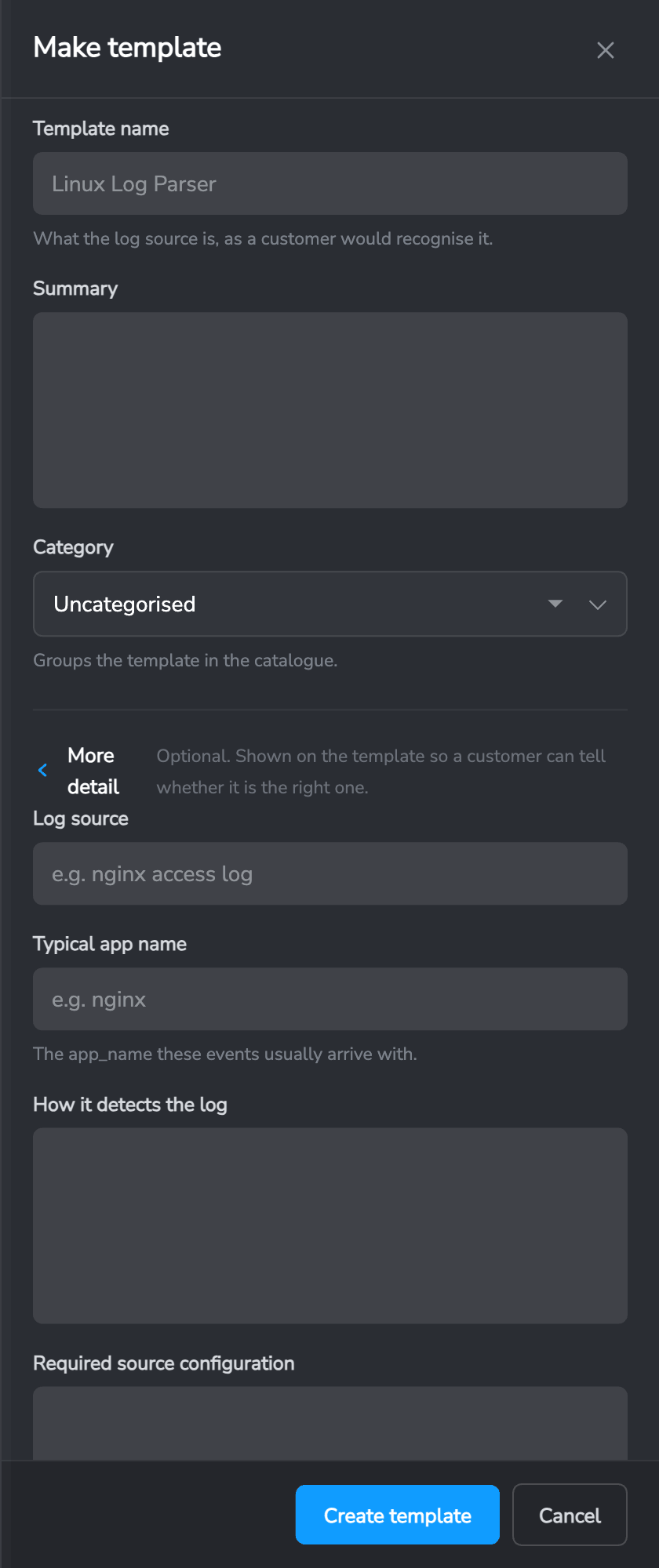
You need a name, a one-line summary and a category. Everything else — the log source, how it detects the log, and any configuration needed on the sending system — is optional, and shown on the template so someone can tell whether it is the right one for them.
Authoring stays on the parser because that is where the sample event and testing live. The template is a published snapshot of it: a separate object, with no link back to the parser it came from. Editing that parser later will not change the template, and deleting the template will not affect the parser.
Sharing
A template is shared with the organisations beneath yours by default, so they see it in their own catalogue as INHERITED. Untick Share with organisations below yours to keep it in your own catalogue only.
Un-sharing or deleting a template never affects parsers already deployed from it — those are independent copies in their own organisations and keep running.
You can edit and delete templates your organisation owns. Inherited templates are read-only; deploy them, but they belong to the organisation above you.
Editing a template
Templates your organisation owns can be edited in place.
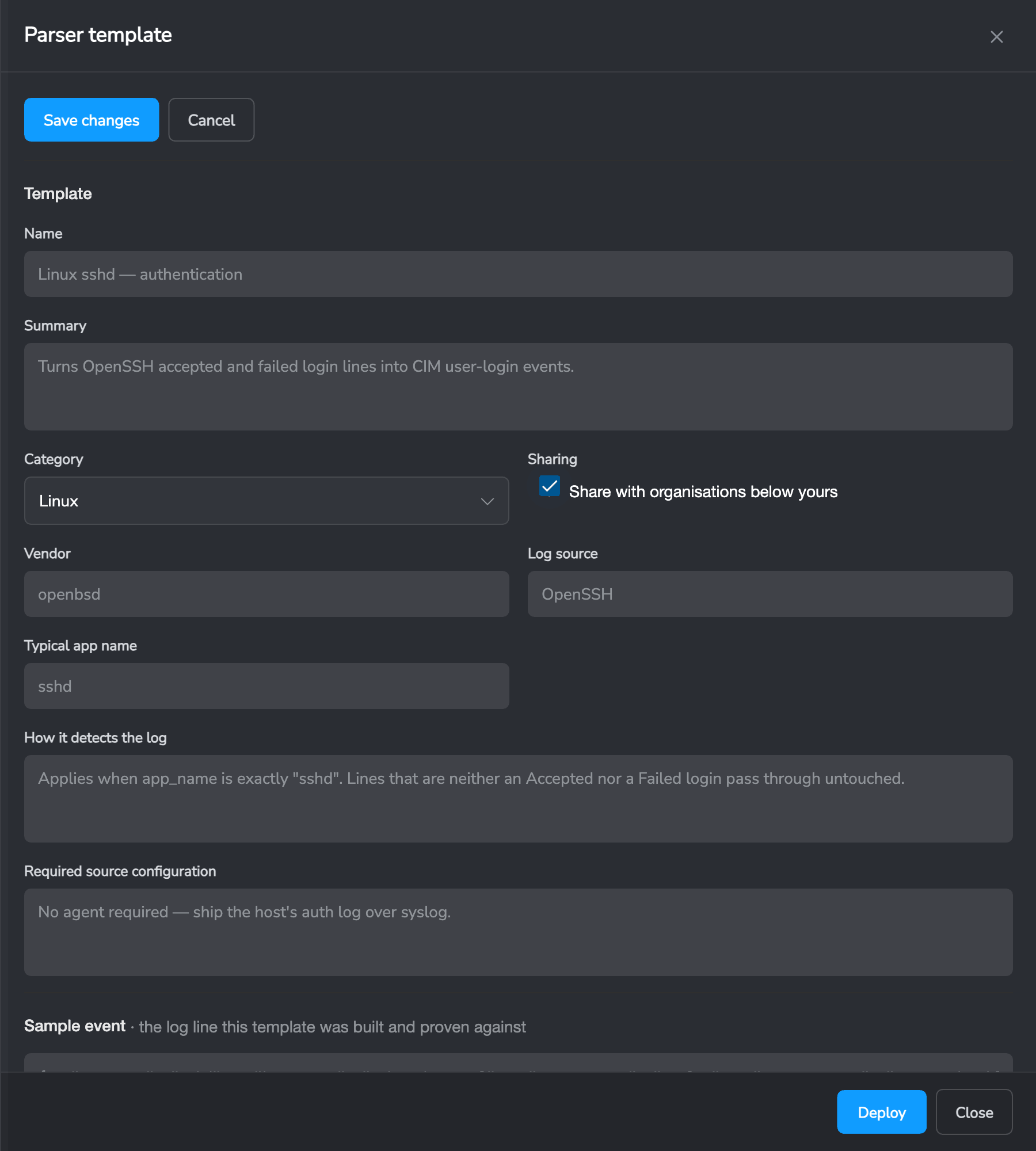
The documentation, sharing, sample event, statement names and the parser code are all editable. Validation runs against the template’s own sample event, so it answers a more useful question than “does this compile” — it tells you what the parser actually does to the log it was built for.
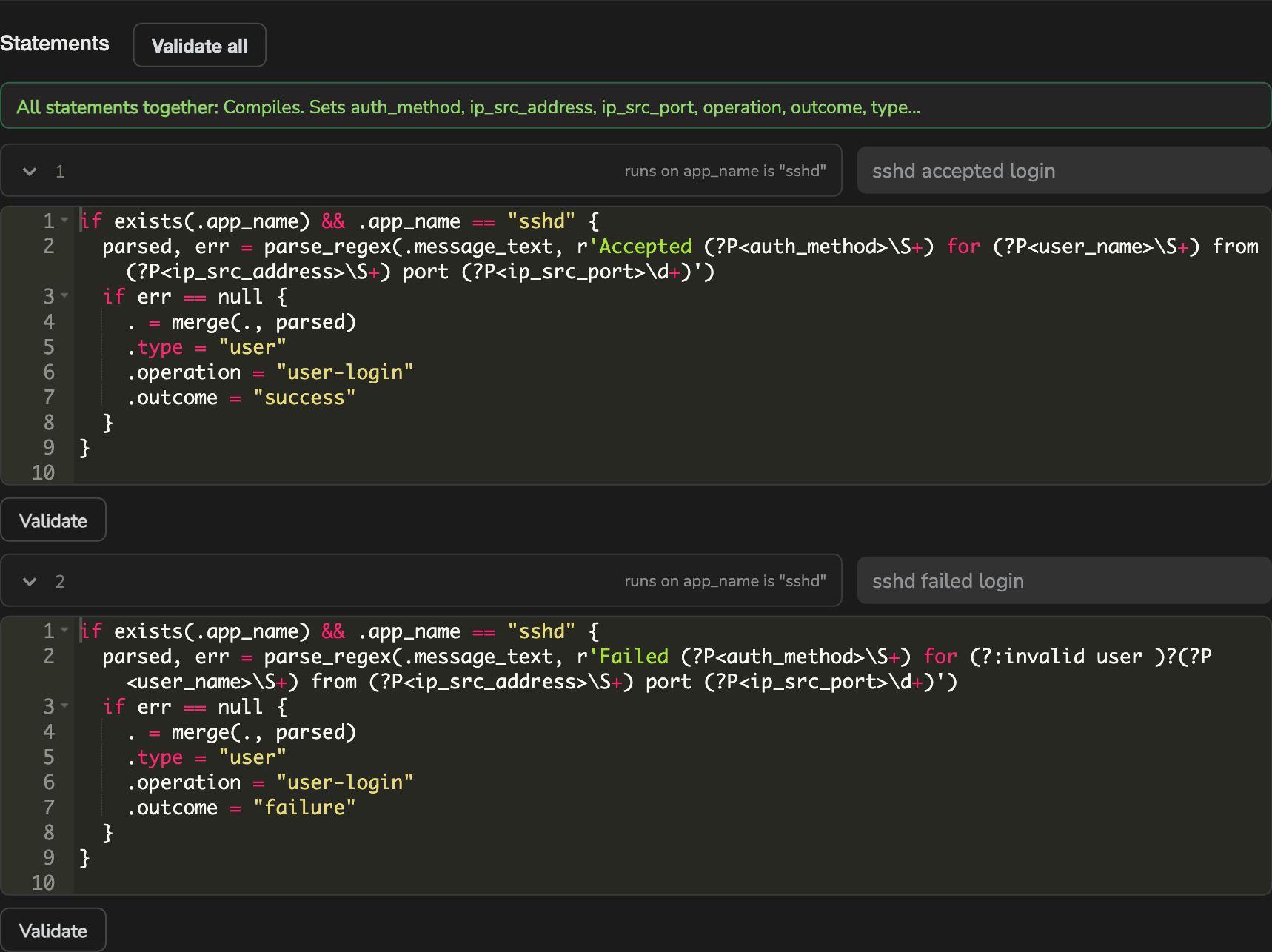
Validate checks one statement. Validate all checks every statement concatenated into a single program, which is how the collector runs them — and it is the check that matters. A statement can compile on its own and still break the program, and a program that fails to compile causes the collector to reject the configuration and keep running the previous one.
A pass tells you which fields were set. “Compiles, but changes nothing on this sample” means the parser ran and matched nothing — usually a condition that no longer fits the sample.
Don’t see your log source?
The catalogue will never cover everything. Secure60 support can build a parser for any log source and deploy it straight into your organisation — contact integrations@secure60.io.
 Back to top