Enrichment Parsers
An Enrichment Parser looks up one event field in a table and adds columns from the matching row to the event. The table is stored with the parser in the portal and delivered to every collector whose profile includes it. Table changes reach collectors within about a minute, with no files to mount and no restart.
Enrichment Parsers require Secure60 Collector 1.16 or newer. An older collector skips the lookup, applies the rest of its profile, and is flagged on the Collectors page — see Updating the Collector.
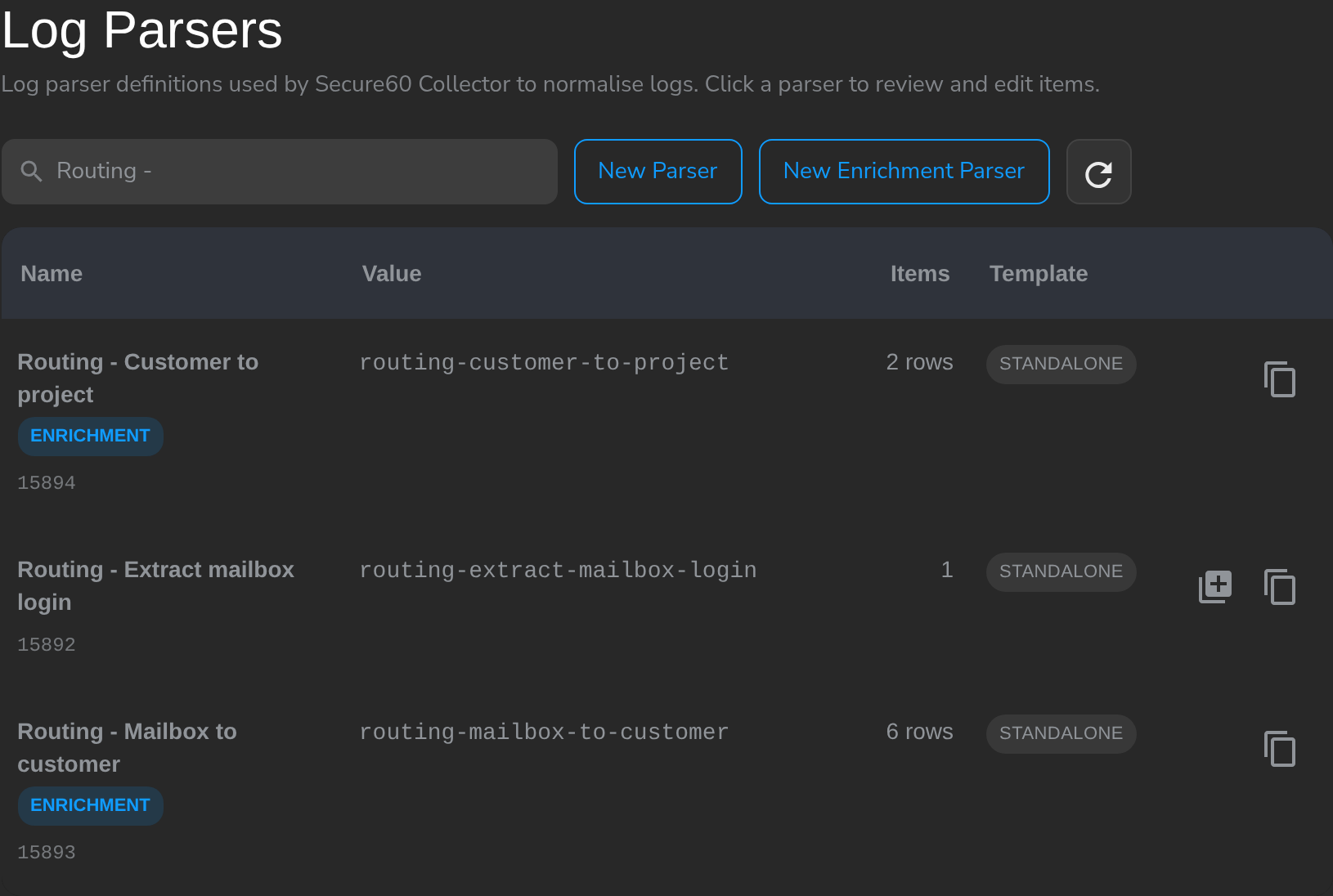
How lookups chain
Parsers in a collector profile run in order, and each one sees the fields the previous one added. A log parser extracts a value; an Enrichment Parser looks it up; a second Enrichment Parser looks up the result.
Creating an Enrichment Parser
- Navigate to Integrations → Secure60 Collector → Log Parsers and click New Enrichment Parser.
- Name the parser.
- Under Lookup, set Event field to look up (the field an earlier parser on the profile produces, e.g.
mailbox_login) and Match against column (the table column holding the same values). - Load the table — Import CSV, Paste CSV, or Add row — and choose under Fields added to the event which columns are added and under which field names.
- Check a value under Try a value, then Create Parser.
- Add the parser to a collector profile, after the parser that produces its match field (see Ordering parsers in a profile).
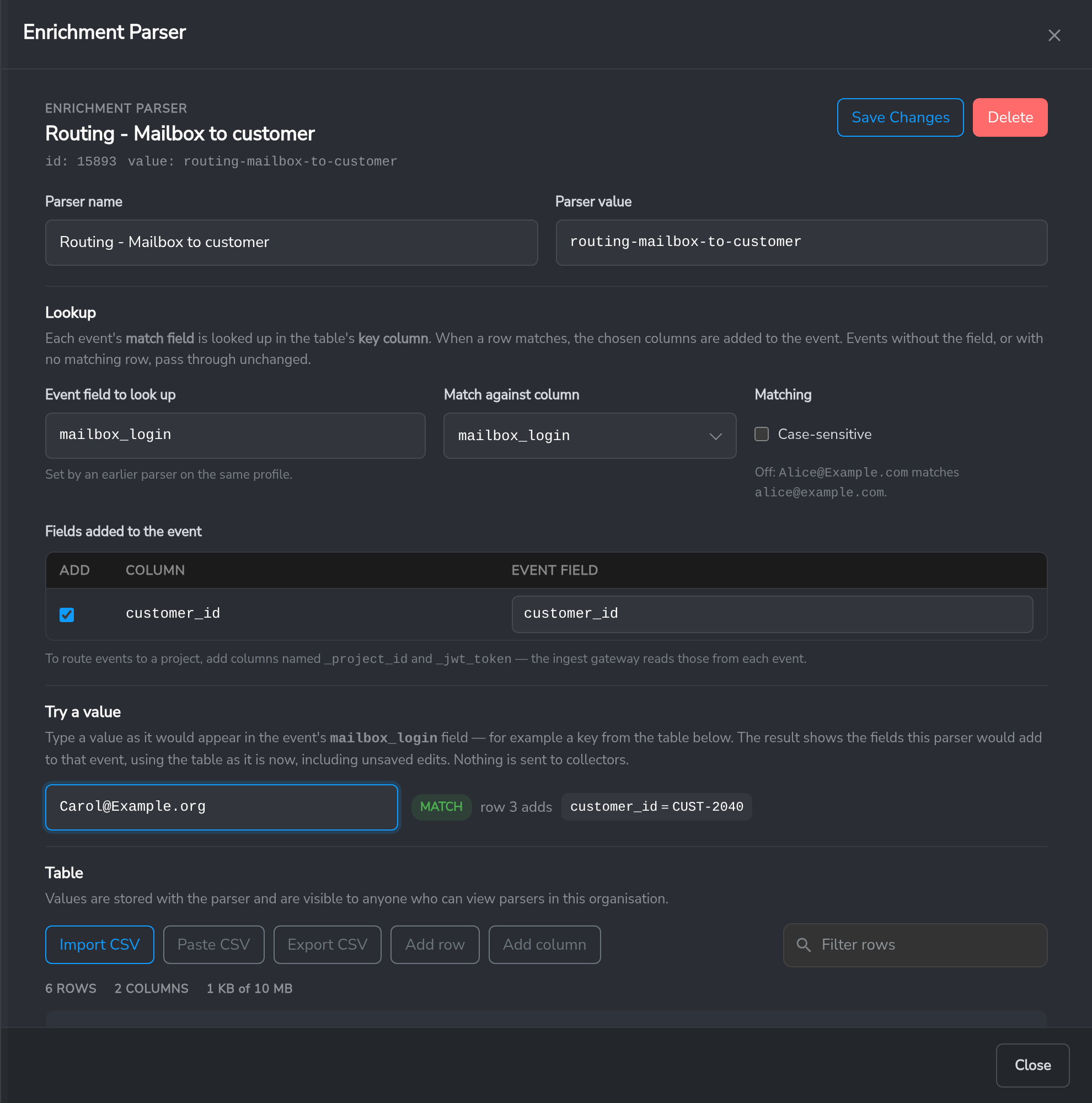
| Setting | Meaning |
|---|---|
| Event field to look up | The event field whose value is looked up. |
| Match against column | The table column the value is matched against. |
| Case-sensitive | Off by default: Alice@Example.com matches alice@example.com. |
| Fields added to the event | Which columns are added, and the event field each one is written to. By default every non-key column is added under its own name. |
| Try a value | Shows what a value would add, using the table as it stands, including unsaved edits. Nothing is sent to collectors. |
Lookup behaviour
- The first matching row is used. Later rows with the same key are reported as duplicates.
- An empty cell (or
-) adds nothing. A matching row overwrites an existing field of the same name. - An event without the field, or with no matching row, passes through unchanged. No event is dropped.
The table
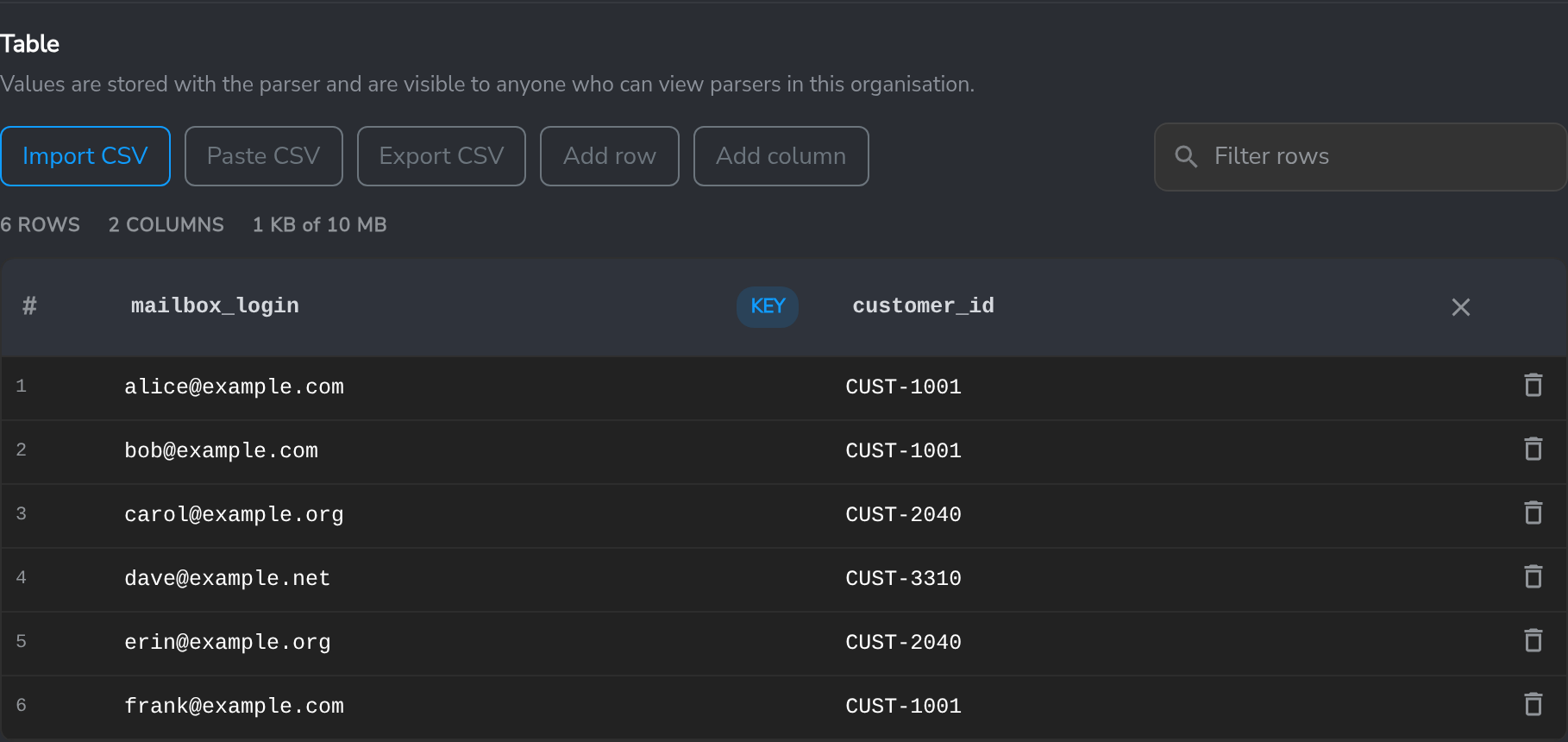
- Import CSV replaces the table from a file. Paste CSV replaces it, or appends rows when the header matches. The first line is the header; comma, tab and semicolon separators are detected.
- Export CSV downloads the table as stored.
- Column names use letters, digits and
_, and do not start with a digit. Imported headers are converted to valid names. - A row with the wrong number of values is highlighted and ignored by collectors until it is fixed or deleted.
- A parser holds up to 10 MB; the size is shown above the table.
Table values are visible to anyone who can view log parsers in the organisation.
Ordering parsers in a profile
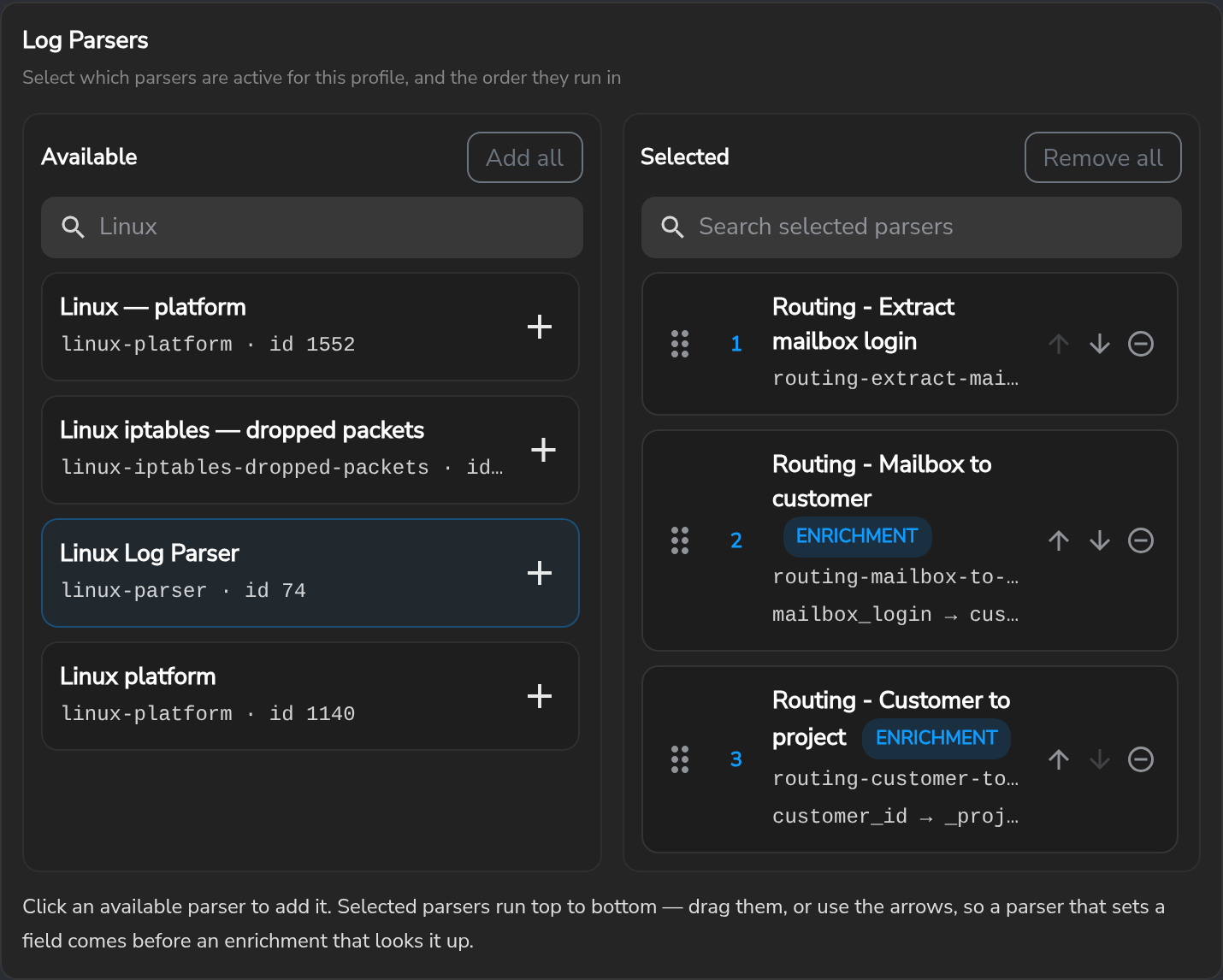
Selected parsers in a collector profile run top to bottom. Drag a parser by its handle, or use the arrows, so that a parser which produces a field runs before an Enrichment Parser that looks it up.
Routing events to projects
When one collector receives data for several Secure60 projects — a service provider collecting for its customers, for example — an Enrichment Parser can add _project_id and _jwt_token to each event. The ingest service validates each event’s token against its project, stores the event in that project, and removes the token before storage.
No collector setting is needed. The collector sends events that carry a _jwt_token with per-event authentication, and all other events on the standard path, so only routed events incur per-event token checks. Hosts, users, IP addresses and applications discovered from a routed event are tracked in that event’s project.
The collector’s own S60_PROJECT_ID and S60_INGEST_TOKEN remain the default: an event without a valid _project_id / _jwt_token pair — no matching row, an expired token, a token for a different project — is stored in that project. Set it to a project intended for unrouted data. The same mechanism with a mounted CSV file is described under Multi-Project Routing with CSV Mapping.
Updating a table from an external system
A job keeps a table current by replacing the parser’s definition through the API. The parser panel’s Update this table from an external job section shows the request with the parser’s id and settings filled in.
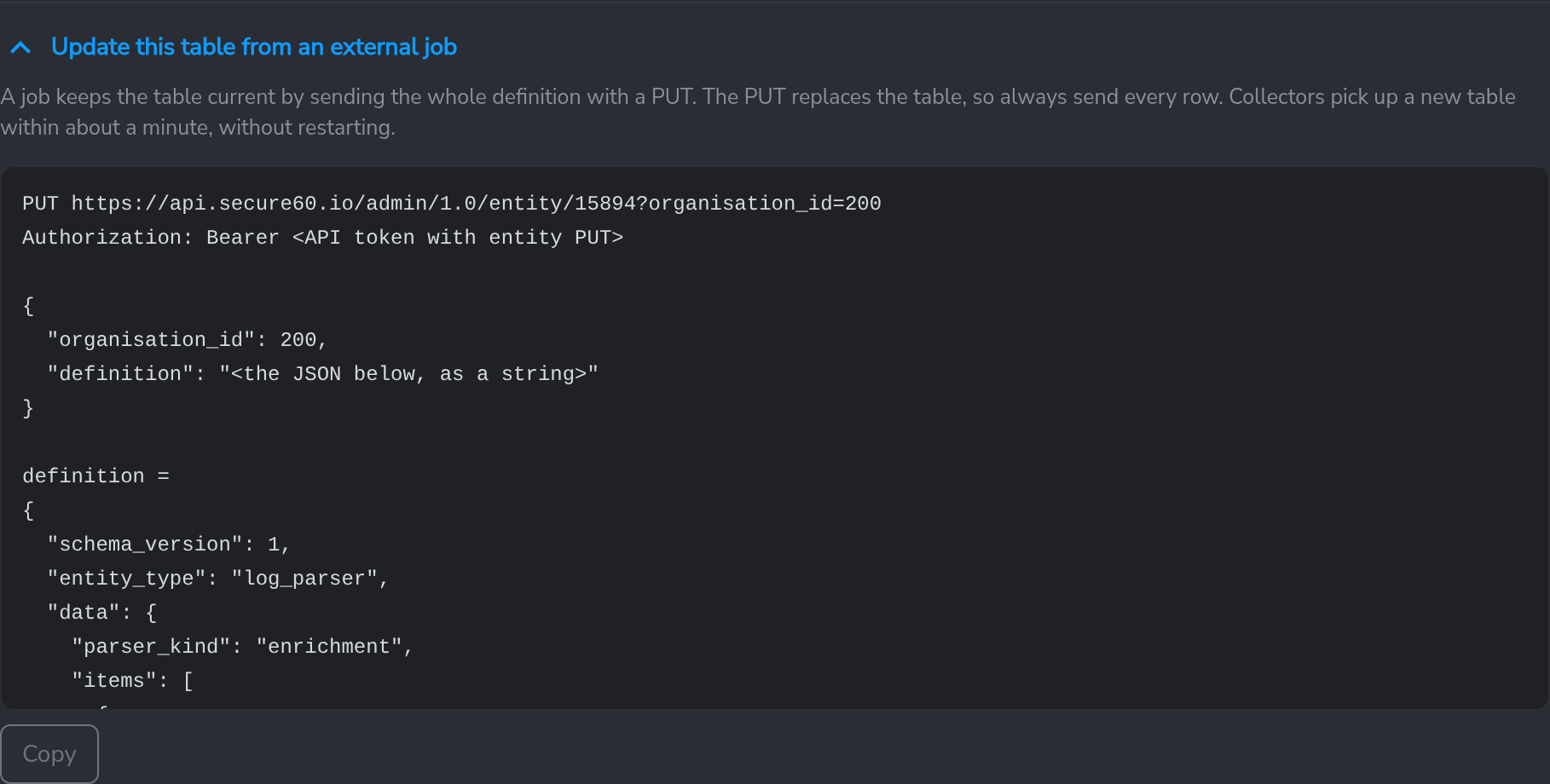
PUT https://api.secure60.io/admin/1.0/entity/<parser id>?organisation_id=<organisation id>
Authorization: Bearer <API token>
Content-Type: application/json

{"organisation_id": <organisation id>, "definition": "<definition JSON, as a string>"}
The definition carries the whole table on every update — the PUT replaces it:
{"schema_version": 1, "entity_type": "log_parser",
 "data": {"parser_kind": "enrichment",
  "items": [{"id": "<item id>", "name": "Mailbox to customer", "kind": "node", "code": "",
   "node": {"type": "enrichment", "scope": {},
    "settings": {"match_field": "mailbox_login", "key_column": "mailbox_login",
                 "table": {"columns": ["mailbox_login", "customer_id"],
                           "rows": [["alice@example.com", "CUST-1001"],
                                    ["carol@example.org", "CUST-2040"]]}}}}]}}
Keep the item id the same on every update. Rows may also be sent as objects keyed by column name. Collectors apply a new table on their next configuration check, within about a minute, without restarting or interrupting ingest. A row that cannot be applied is dropped and reported as a collector application error; the rest of the table is applied.

Related
- Log Parsers — extract the field an Enrichment Parser looks up
- Secure60 Collector — Collector Profiles — attach parsers to collectors
- Collector Data Enrichment — subnet and exact-match enrichment from mounted CSV files
- Manual Configuration — collector environment variables
- Updating the Collector — version requirements and the out-of-date warning
 Back to top